ProcureFlow Release Notes - December 2025
Major Features & Changes
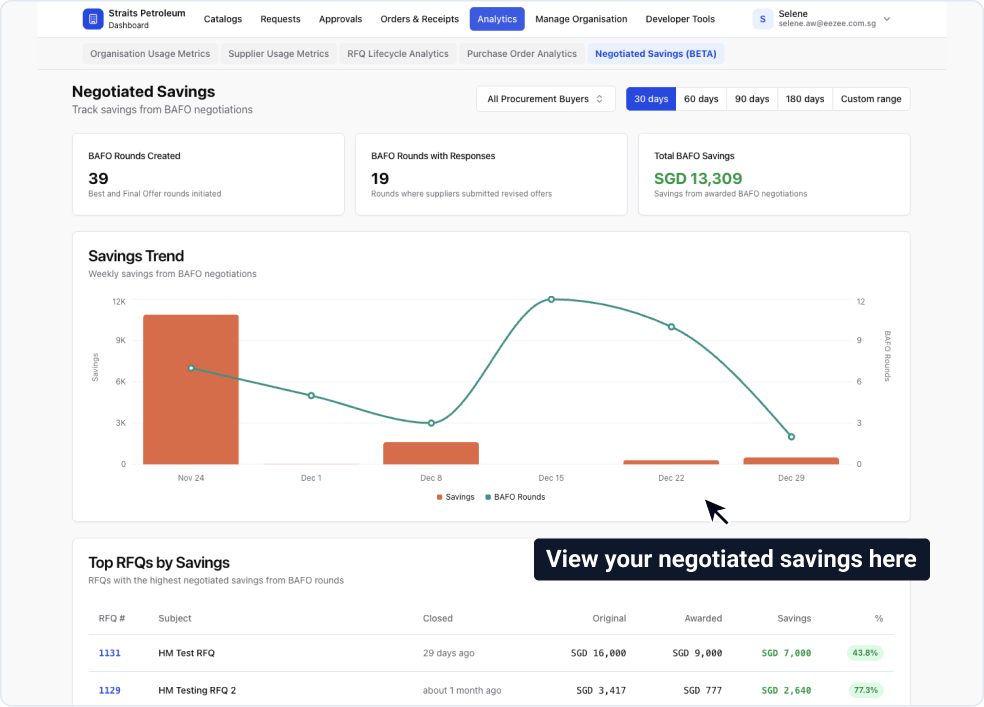
1. Negotiated Savings Analytics
We've added a new analytics page that tracks and calculates savings from your BAFO (Best and Final Offer) rounds. This makes it easier to measure negotiation outcomes and share results with stakeholders.
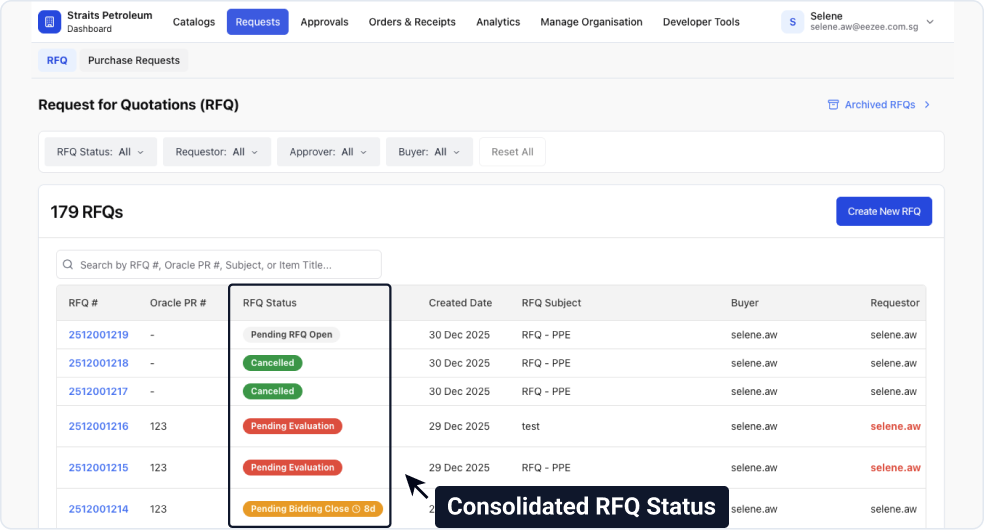
2. New Consolidated RFQ Status
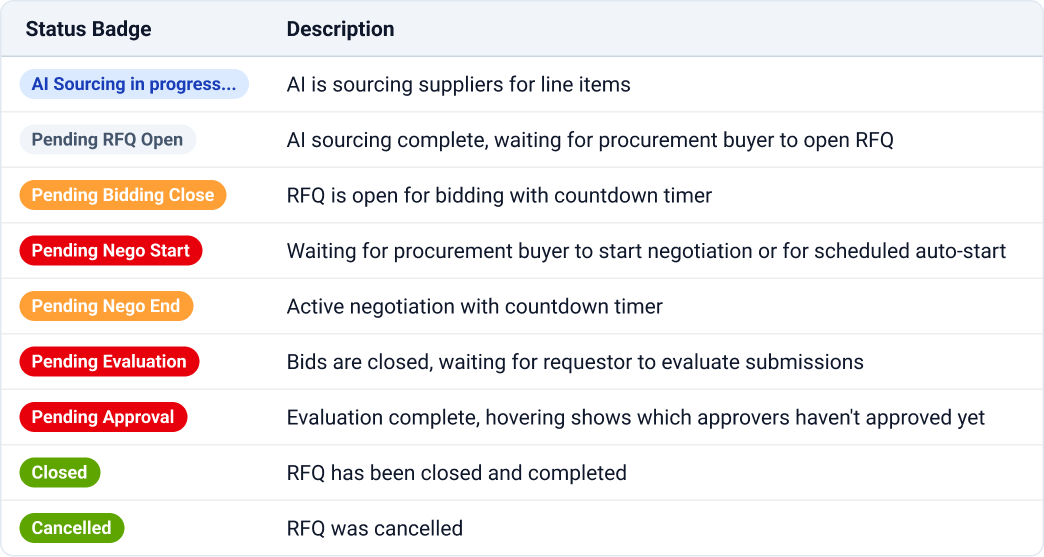
Your RFQ list page now shows a single status badge for each RFQ, making it easier to understand what action is needed and who's responsible. Status badges include countdown timers for active rounds, and you can hover over "Pending Approval" badges to see which approvers are outstanding.
See the table below for all available status badges and their meanings:
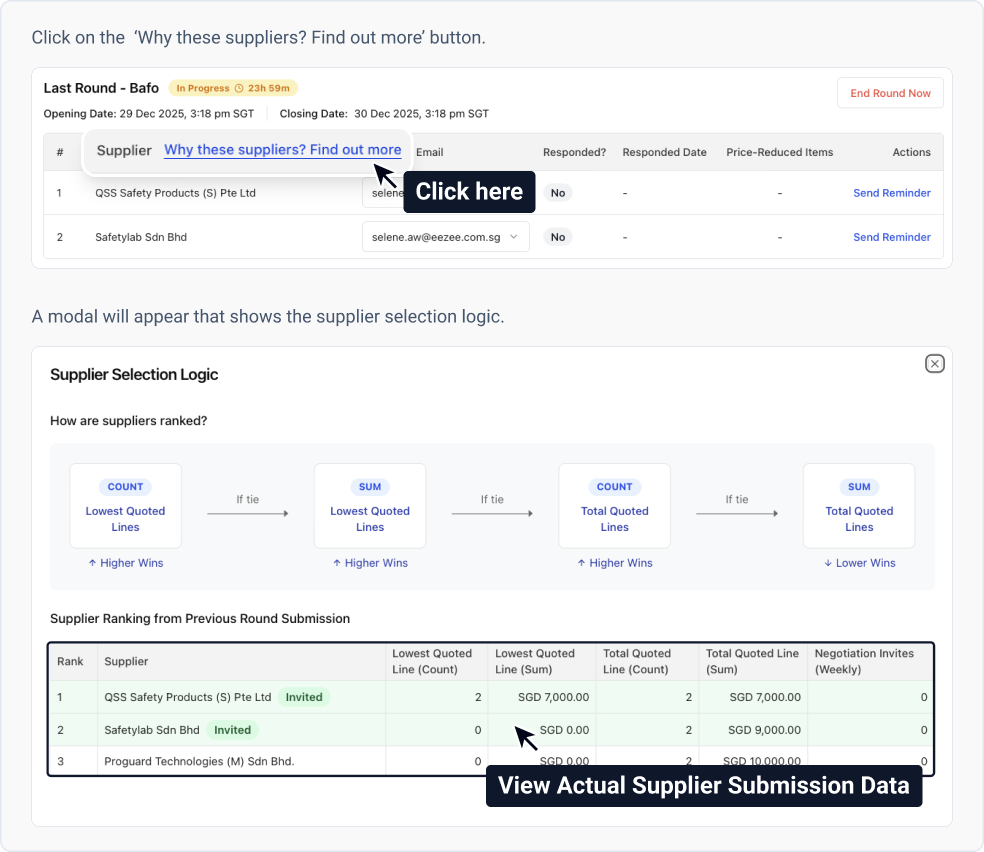
3. BAFO Supplier Selection Transparency
You can now view how we rank suppliers for BAFO invitations. This shows you the ranking algorithm and the actual supplier submission data from the previous round, making it easier to understand and explain supplier selection decisions.
4. New Supplier Reminder Feature
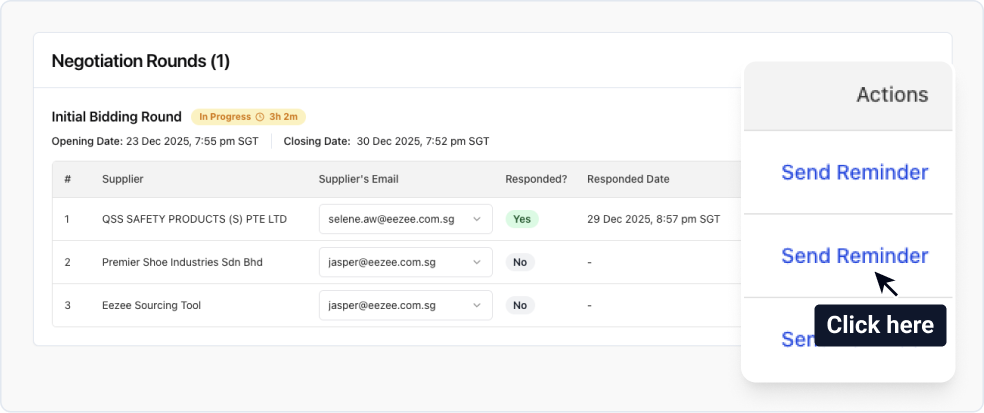
You can now send reminder emails to suppliers directly from the system with a single click. This is available for both initial bidding and negotiation rounds.
5. Update Supplier Contact for Open RFQs
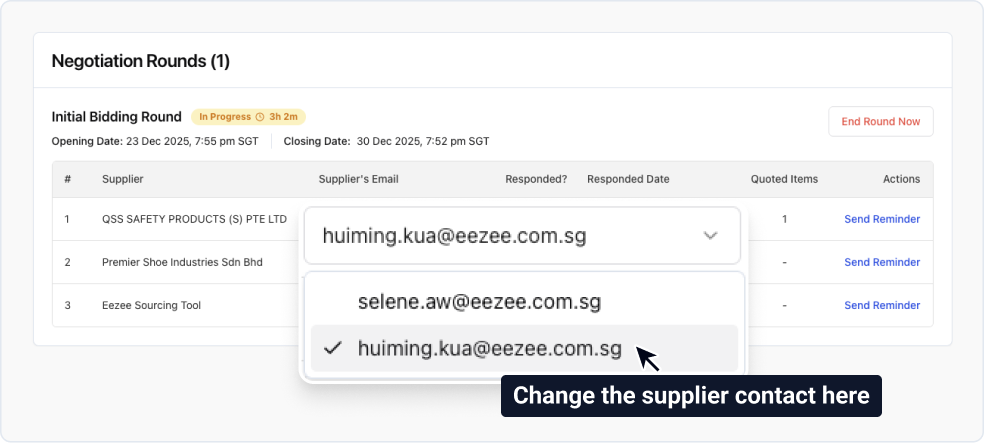
You can now update supplier contacts after your RFQ has been opened, but only before the supplier submits their quotation. Once a supplier submits their quote, the contact can no longer be changed. When you update a contact, the new person will immediately receive all subsequent notifications.
Other Changes
- [Improvement] You can now close negotiation rounds early using the "End Negotiation Now" button.
- [Improvement] Public holiday sync now covers the next 12 months (previously shorter period).
If you encounter any issues or have questions, please reach out to [email protected]